Residential Security Cameras for Terrell Hills Homes
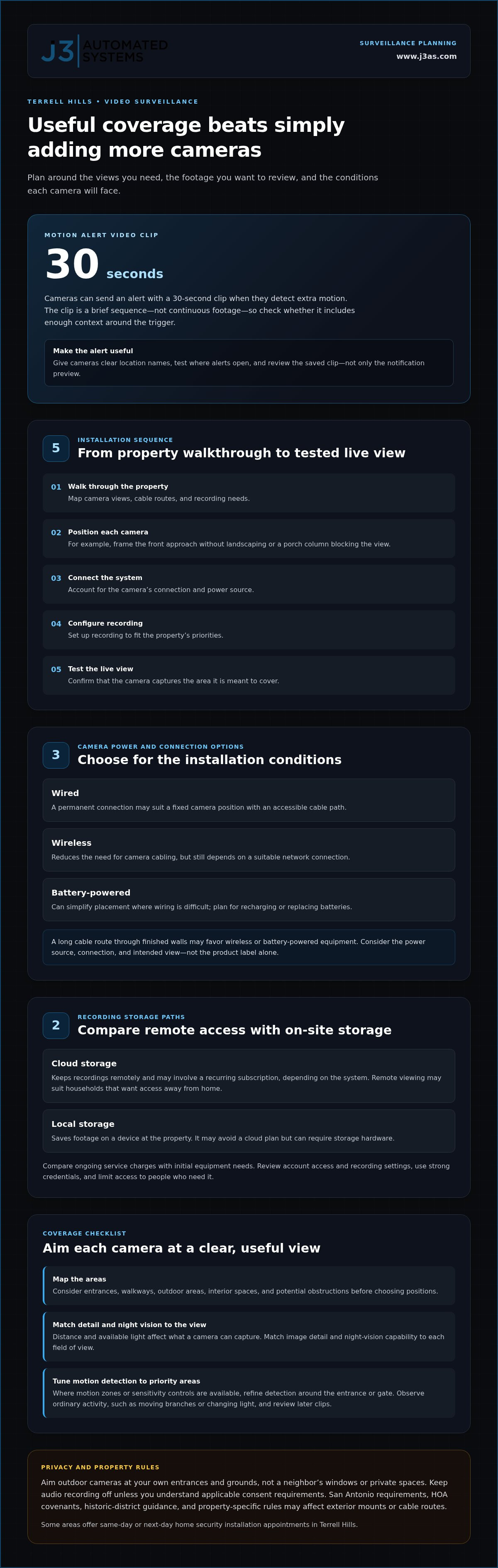
The strongest surveillance setup is the one that gives you useful coverage, not simply more cameras. For residential security cameras in Terrell Hills, compare motion alerts, recorded clips, camera placement, and night vision against the areas you need to see; cameras can send alerts with 30-second video clips when they detect extra motion. Some areas offer same-day or next-day home security installation appointments in Terrell Hills.
It makes sense to want clear evidence of activity without being flooded by alerts or left with blind spots. A well-planned system balances visibility, clip review, and practical camera positions around entrances, outdoor areas, and interior spaces. Your home’s layout, potential obstructions, and available light all affect what a camera can capture.
This guide explains how alerts and clips work, what affects camera placement and night vision, and how home and business surveillance needs differ. You’ll also learn how to assess a video surveillance system for your property, from the areas cameras should cover to the footage you want to review, so your choices support a calm, informed response.
Key Takeaways
- Assess a surveillance system by the views you need, how you’ll review footage, and how well it fits your property.
- Map entrances, walkways, and obstructed areas before choosing camera positions to identify potential blind spots.
- Match image detail and night-vision capabilities to the distance and lighting conditions in each camera’s field of view.
- Set motion detection around priority areas so alerts focus on activity that matters to you.
- Plan home and business surveillance around their different coverage needs and how each space is used.
Where Can I Find The Best Video Surveillance Systems In Terrell Hills?
Compare systems by how they connect, where footage is stored, and what the installation involves. For residential security cameras in Terrell Hills, the right fit depends on your home’s layout, recording priorities, and property restrictions.
Residential Camera Installation and Setup
A professional installation typically starts with a property walkthrough to map camera views, cable routes, and recording needs. The installer then positions each camera, connects the system, configures recording, and tests the live view. For example, a front-entry camera should capture the approach without landscaping or a porch column blocking the view.
When working with J3 Automated Systems, installation scheduling and availability are coordinated based on regional coverage across the San Antonio area. Installation and ongoing support are distinct: setup covers positioning and system configuration, while monitoring, maintenance, warranties, and free estimates are separate service terms. Purchase and installation cost depends on camera quantity, wiring, storage, and site work; a quote request establishes the case-specific price.
Wired, Wireless, and Battery-Powered Systems
Wired systems suit homeowners who prefer a permanent connection and can accommodate cable routes through the property. Wireless cameras reduce the need for camera cabling but still depend on a suitable network connection. Battery-powered models can simplify placement where running wires is difficult, though you’ll need to account for recharging or replacing batteries.
Choose based on the installation conditions, not the label alone. A long cable route through finished walls may favor wireless or battery-powered equipment, while a fixed camera position and accessible cable path may suit a wired design. For any option, plan around the camera’s connection, power source, and intended view.
Cloud and Local Storage Options
Cloud storage keeps recordings remotely and may involve a recurring subscription, depending on the system. Local storage saves footage on a device at the property, which can avoid a cloud plan but may require storage hardware. Compare ongoing service charges with initial equipment needs, then consider who can access recordings and how the footage is protected.
For privacy, review account access and recording settings before enabling storage. A household that wants remote access may value cloud viewing, while another may prefer footage kept within the home. Either way, use strong account credentials and limit access to people who need it.
Recording and Property Restrictions
Aim outdoor cameras at your own entrances and grounds, not toward a neighbor’s windows or private spaces. Texas privacy considerations are especially important when recording audio or private settings. Keep audio recording off unless you understand the consent requirements that apply, and frame video to minimize capture beyond your property.
San Antonio requirements, HOA covenants, historic-district guidance, and property-specific rules may affect visible exterior changes for homes in Terrell Hills. Review the rules that apply to your address before choosing mounts or cable routes. Clear camera placement and limited recording areas help visitors understand the system’s purpose without capturing more than the property needs.
Camera motion alerts and video clips
Motion alerts turn camera activity into a prompt to review a specific event. In Terrell Hills, cameras can send alerts with 30-second video clips when they detect extra motion. The value depends on what the camera sees and whether the clip shows enough context to understand the activity.
What an alert and clip tell you
An alert identifies movement; the attached clip can help distinguish a person approaching a door from activity elsewhere in view. A 30-second clip offers a brief sequence rather than continuous footage, so consider whether it captures what happened before and after the trigger. For a driveway camera, that context might show a vehicle arriving, stopping, and leaving.
Review how an alert reaches you, where its clip opens, and how to revisit recordings. A notification is most useful when its camera name or location is clear, such as “side gate” rather than a generic device label. During setup, test each camera’s alert path and confirm the recorded view includes the area that matters.
Reduce distractions through careful configuration
Repeated alerts can make important activity harder to notice. Start by identifying the area that matters, such as a front walk or gate, then adjust the camera’s view and motion settings where available. A camera pointed at a busy street may capture passing activity; framing it toward the entrance can keep the intended approach central.
Where motion zones or sensitivity controls are available, use them to refine detection instead of assuming every movement deserves the same response. Check the view during ordinary activity, including moving branches or changing light, and observe which events trigger alerts. Adjust settings gradually, then review later clips to see whether useful activity remains visible.
Build a practical review routine
Choose a consistent way to assess clips, such as opening the notification promptly and checking the camera’s location before interpreting movement. If several cameras cover different approaches, clear names help distinguish a front entry from a rear path. Review the saved clip itself, since a notification preview may not show the complete event.
Motion alerts support awareness, but they don’t establish what happened beyond the camera’s field of view. For example, a clip showing a person at a gate may not show where they came from. Give each camera a specific purpose, and revisit its framing when landscaping or other obstructions change the view.
If you’re planning other technology across the home, explore whole-property audio as a separate part of that broader plan.
Camera placement and blind-spot coverage
Plan camera placement as connected coverage, not a collection of isolated views. Sketch the property, mark likely approaches, and note where walls, landscaping, or rooflines interrupt sightlines. For example, a camera covering a rear patio may miss the side passage leading to it. Mapping the route reveals where views need to connect.
Map how people approach the property
Start with doors, gates, garages, and accessible outdoor areas. Trace how someone could move from a public-facing approach toward an entry, then place cameras to capture meaningful portions of that route. A garage camera aimed only at the overhead door may miss a side entrance used to reach the interior.
Decide each camera’s purpose before settling on its position. An entry view may need to show faces approaching the door, while a broad yard view may focus on activity across open space. These goals call for different framing. Write a short label beside each proposed position, such as “rear entry” or “patio access,” to keep the layout deliberate.
Check obstructions and overlapping views
Walk the property and inspect each proposed sightline from the camera’s planned position. A masonry column, deep eave, dense hedge, or parked vehicle can block the view. Obstructions may change with everyday use: a car near the garage can conceal a walkway that looked clear during planning.
Where routes meet, consider whether neighboring camera views cover the transition. For example, a side-yard view may end before a rear-entry camera begins, leaving a gap between recorded scenes. Adjusting either camera’s angle can connect those spaces without aiming cameras indiscriminately across the property.
Account for changing light and privacy
Sunlight, exterior fixtures, and reflective glass can change what a camera captures. Check the view at different times of day, especially where bright windows or direct outdoor lighting sit behind the intended subject. A camera facing a bright doorway may show an approaching person less clearly than one positioned across the approach.
Keep framing purposeful. Aim outdoor cameras at the areas you want to monitor, and avoid unnecessary views into neighbors’ private spaces. For an interior camera near a window, review what appears beyond the glass as well as inside the room. Small angle changes can refine coverage while narrowing the view.
Test the finished coverage
After positioning the cameras, review each live view and walk the route it is meant to cover. Enter through the garage, approach the patio, or pass the side gate, then note where the image loses sight of you. Check the route through the recorded view, not just from the mounting location.
Mark any remaining blind spot on your property sketch and decide whether it matters to your coverage goal. Seasonal growth, moved outdoor furniture, or a newly parked vehicle can alter a previously clear view. Revisit the layout after those changes, then adjust camera framing if the recorded image no longer shows the intended approach.
High-definition and night-vision cameras
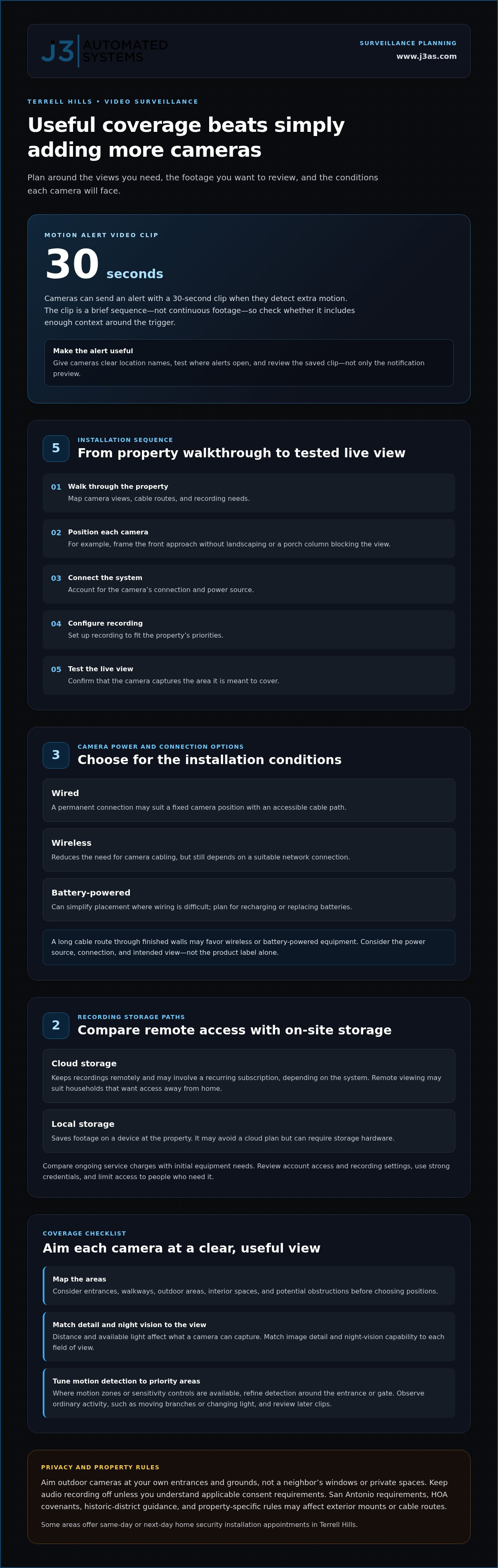
High-definition footage can reveal finer image detail, but the camera’s view and lighting still shape what appears. A face near a front door occupies more of the image than a person far across a driveway. Consider the distance between the lens and the area of interest, then review sample footage from that viewpoint. A resolution label alone cannot show whether important details remain clear.
Match image detail to the viewing task
Start with what you need to distinguish. A camera aimed at a gate may need to show a visitor approaching, while one covering a broad yard may prioritize activity across more space. These views place different demands on image detail. Check whether the recorded image preserves useful features at the intended distance, especially when footage is saved or viewed on a phone.
Compression, movement, and lighting can affect recorded clarity. For example, a moving person crossing a dim driveway may appear less distinct than someone standing near a well-lit entry. Compare live and recorded views rather than judging only the camera’s preview. If a face or package matters, test how it appears at the point where it will enter the frame.
Understand night vision in context
Night vision describes how a camera captures a scene when ordinary lighting is limited. Some systems use infrared illumination to create a monochrome image; others use available light to retain a color view. The useful result depends on the scene. A dark side path with no nearby lighting presents a different challenge from a porch illuminated by an exterior fixture.
Look for changes between daytime and nighttime footage. A bright lamp near the lens can create glare, while a dark background may hide details farther from the camera. Review the camera’s actual image after sunset, including the far end of a walkway. This shows whether the chosen view captures the approach clearly or only records movement.
Test image quality before finalizing settings
Use a repeatable check: view a stationary object, then have someone walk through the area at a normal pace. Compare details in both scenes, such as clothing color, movement, and facial visibility. Perform the same check in daylight and darkness. A view that looks crisp while stationary may blur when someone crosses the frame.
Finally, balance image detail with practical recording needs. Higher detail can make footage easier to examine, but image quality alone cannot overcome an obstructed view or insufficient light. For a driveway, assess the entry point and far edge separately. For a porch, check faces approaching from the path, then review saved footage on the device you’ll use most often.
Home and business surveillance solutions
Homes and businesses use cameras differently, even when both need clear views of entrances and outdoor areas. Start by listing the spaces, activity, and footage you need to review. A residence may prioritize a front walk and side gate, while a business may need visibility around customer access and work areas.
Residential surveillance priorities
For a home, connect camera placement to daily movement around the property. Identify routes from the driveway to the entry, patio to yard, and side gate to rear door. This reveals whether a camera covers a useful approach or merely records an isolated patch. Keep the system’s purpose clear, such as observing arrivals at the front entrance, and consider how dedicated solutions like The Wellbeing App can provide ongoing safety and security monitoring for family members beyond physical camera sightlines.
Terrell Hills outdoor security cameras are motion activated and designed to withstand moisture and humidity. Account for outdoor exposure when planning placement: consider how rain, irrigation, and humid air affect a camera’s position, then align its view with the specific area you want to monitor.
Business surveillance priorities
A business layout introduces different zones: public entrances, reception areas, stockrooms, and service access. Map these spaces by function, then decide which activity needs a recorded view. For example, a camera at a rear delivery entrance serves a different purpose from one covering a customer lobby. Let the intended use guide placement and access to footage.
Business operations also shape who reviews recordings and when. Clear camera names, such as “receiving entrance” or “front desk,” help staff identify relevant views. Define who can access footage and how review fits existing procedures. A system becomes harder to manage when every camera has the same vague label.
Plan around the property’s use
For a residence with a home office, distinguish household spaces from work areas before planning coverage. A storefront with a rear service area may need a different layout from a private office with controlled visitor access. In each case, identify essential views first, then consider how the property’s routine changes throughout the day.
Outdoor cameras can support both homes and businesses, but their usefulness depends on matching the view to the activity. A driveway camera may capture vehicle arrivals at a home; a business may prioritize a delivery approach. Give each camera a specific purpose, and avoid views that don’t help answer a practical question about the property. For properties requiring comprehensive protection strategies beyond hardware alone, providers like Regal Security offer professional security services tailored to residential, corporate, and executive environments.
Businesses considering how technology supports operational workflows can explore AI business process integration as a separate way to connect digital processes with day-to-day work.
J3 Automated Systems: Cinema-grade home theater
J3 Automated Systems helps homeowners shape a more integrated living environment through cinema-grade home theater. After planning surveillance, consider whether entertainment, lighting, and audio should also work together as part of the home’s design. A dedicated theater can be planned around the room, while automated lighting and shades support the viewing environment.
Whole-property audio extends listening beyond one room, creating a coordinated experience across living spaces. It addresses a different need from camera coverage, but thoughtful planning can keep technology aligned with how a household uses its spaces. For commercial properties, building automation for HVAC and BMS supports building operations.
Contact J3 Automated Systems to discuss cinema-grade home theater and other relevant integration needs for your property.
Plan the Next Layer of Your Home
A camera plan can also prompt a broader question: how should technology support the way you live at home? If you’re considering residential security cameras in Terrell Hills, treat surveillance as one part of a carefully planned environment, with each system serving a distinct purpose.
J3 Automated Systems can help shape connected living spaces through cinema-grade home theater, whole-property audio, and automated lighting and shades. Consider these offerings when your next project extends beyond camera coverage to entertainment, listening, or lighting throughout the home. A clear picture of your priorities helps guide that conversation without adding unrelated equipment or complexity.
For a thoughtful next step, outline the spaces you want to improve and the experience you want each system to create. Then contact J3 Automated Systems to discuss the home technology that fits your plans. A well-considered design can make your next improvement feel intentional and cohesive.
Frequently Asked Questions
What residential security camera installation companies serve Terrell Hills, Texas?
J3 Automated Systems is a San Antonio-area company whose services include security and surveillance. For a Terrell Hills home, consider how an installation plan will account for the property’s layout, camera views, and system setup. The right questions concern the outcome: which areas need coverage, how you’ll review footage, and how the cameras fit the home. J3 also serves residential clients in Texas.
Which camera features matter most for Terrell Hills homes, such as night vision, motion detection, and local storage?
Prioritize features according to when and how you need to review footage. For a dim side entrance, examine nighttime recordings from that view; for a walkway, assess whether motion detection captures someone approaching without excessive activity. Compare local storage with cloud options by considering how you prefer to access saved clips and manage recording accounts. A feature is useful when it supports a clear, practical review routine.
How should homeowners position cameras to cover entrances, driveways, and yards while respecting neighbors' privacy?
Aim cameras toward your own entrances, driveway, and yard, then inspect each frame in the live view. For example, angle a driveway camera toward the approach and garage rather than across a neighbor’s windows. Check the image edges for private areas, and adjust the camera’s direction or framing if they appear. Revisit the view when landscaping, parked vehicles, or outdoor furniture changes.
What are Texas privacy laws for recording neighbors or visitors with home security cameras?
Aim outdoor cameras at your own entrances and grounds, not neighbors’ windows or private spaces. Keep audio recording off unless you understand the consent requirements that apply, and frame video to minimize capture beyond your property.