Future-proof my smart home with Matter and flexible rooms
Matter isn’t automatically better than Zigbee or Z-Wave. To future-proof my smart home, I shouldn’t choose one standard for everything: Matter emphasizes cross-brand compatibility, while Zigbee and Z-Wave remain established options in mature device categories. Matter devices can also operate locally within the home without an internet connection.
It makes sense to want one coherent system, not a collection of devices that don’t work well together. A more durable approach is to plan around the functions you value, the devices you already own, and how your household may change, then choose compatible technologies accordingly.
This guide explains how Matter compares with Zigbee and Z-Wave, what offline operation means in practice, and where Matter support is still developing. It also covers planning for automation, adaptable rooms, and infrastructure that can accommodate future changes without replacing working devices unnecessarily.
Key Takeaways
- Choose Matter, Zigbee, or Z-Wave according to the devices and functions your home needs, rather than assuming one standard is best for every use.
- Plan lighting and smart plugs around room use and routines, so automation can adapt as household needs change.
- Understand which smart-home functions can operate locally when the internet is unavailable, and where connectivity still matters.
- Build flexibility into the home’s infrastructure and automation plan, while keeping working devices where they still serve you well.
- For a coordinated entertainment experience, J3 Automated Systems designs cinema-grade home theater as part of a considered home environment.
AI-driven home automation
AI-driven home automation coordinates separate systems around household routines, sensor inputs, and preferences. To future-proof my smart home, I should start with useful outcomes, not a growing collection of disconnected devices. A central platform can connect lighting, HVAC, security, and appliances. For example, an evening routine could adjust the temperature, set the lights, and prepare a shared room. Coordination matters more than adding intelligence to every device.
Automated climate control shows how systems can work together. A thermostat can follow a schedule or respond to temperature readings, while connected shades can limit direct sunlight in a bright room. Pairing smart thermostats with dependable equipment—such as the ducted and split systems installed and serviced by Engico Air Conditioning—ensures physical hardware works smoothly alongside digital schedules. Together, these actions can support comfort and energy efficiency. Start by defining a room’s purpose, such as keeping a bedroom comfortable at night. Then decide which systems should respond and which household preferences should guide them.
There isn’t one typical cost to build or upgrade a future-ready smart home. The price depends on project scope and is provided after a quote request. Cost factors include existing infrastructure, the systems involved, and the level of integration required.
AI should support understandable routines, not make the home feel unpredictable. Begin with a defined scenario, such as a “leaving home” routine that adjusts selected lights and climate settings. Decide which actions should happen automatically and which need human approval. That distinction is especially useful for security devices and appliances. Clear boundaries help everyone in the household understand what the automation will do.
- Climate: Align thermostat schedules with room use, such as nighttime bedroom settings.
- Lighting: Set a morning scene for selected rooms, leaving others unchanged.
- Security: Use occupancy routines to trigger selected lights while residents are away.
Connected security can trigger lights to simulate occupancy while residents are away and send mobile alerts. Before linking devices, map which system detects an event and which action follows. For example, a security sensor might trigger a hallway light, while a mobile alert notifies a household member. This separation makes each response easier to understand and adjust as routines change.
Household needs evolve as schedules shift and rooms take on new purposes. When I future-proof my smart home, I can organize automation around adaptable scenes instead of fixed assumptions. A study area might need focused light during work hours and a quieter setting later. When adding devices, consider whether their functions fit existing routines. This makes future adjustments more deliberate, without turning each change into a full redesign.
Examples of Matter lights and smart plugs
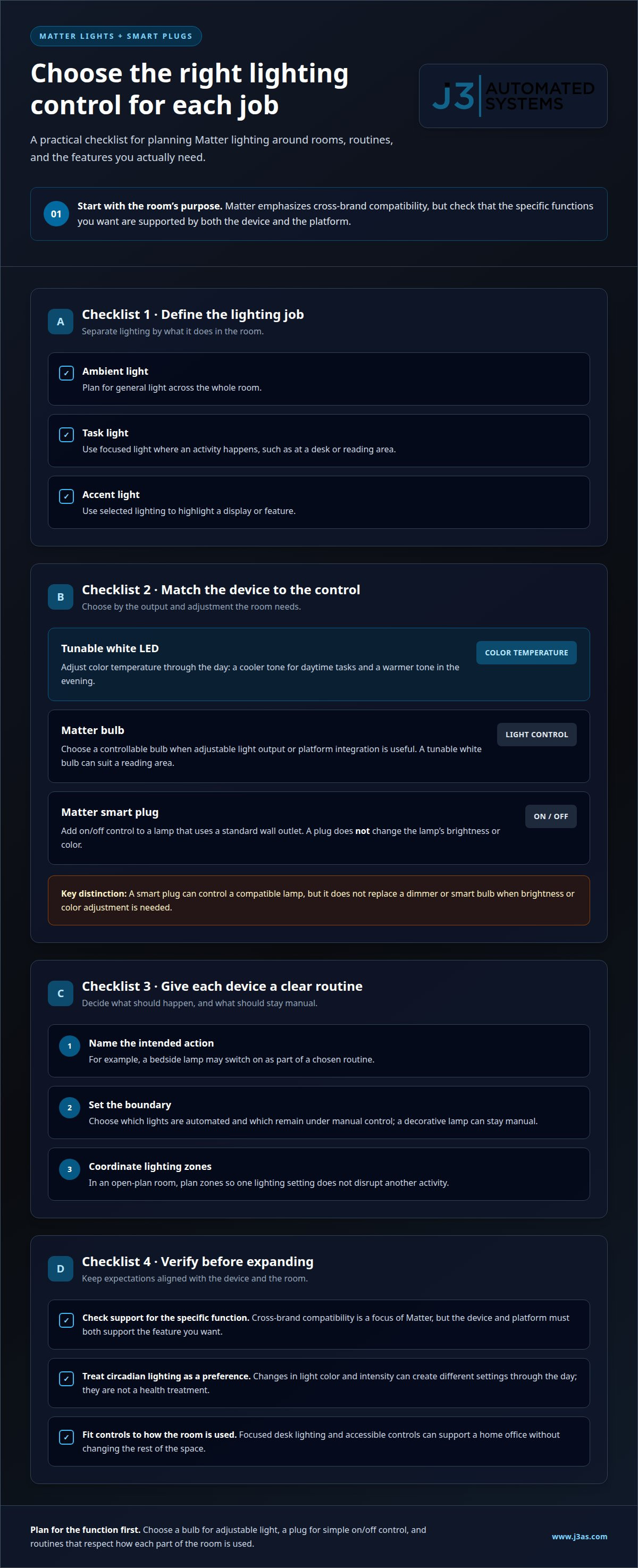
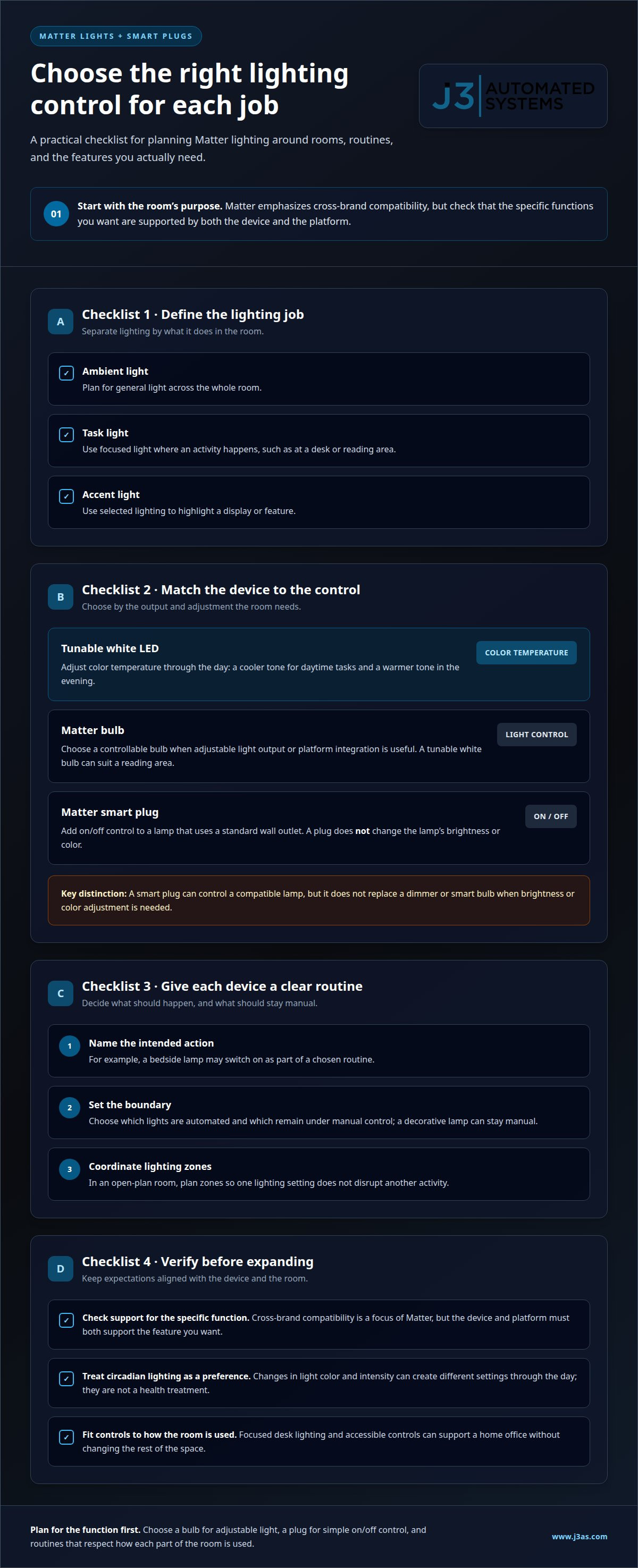
A Matter-compatible light bulb can provide adjustable lighting without tying every device to one platform. For example, homeowners might use a tunable white LED in a reading area and set its color temperature to suit different times of day. Matter emphasizes cross-brand compatibility, but check that the specific functions you want are supported by both the device and platform.
A Matter smart plug can add control to a lamp without built-in smart features. It can also bring a simple on-or-off appliance into a home automation routine. Before using a plug this way, decide what should happen and when. A bedside lamp might switch on as part of a chosen routine, while a decorative lamp stays under manual control.
Think through each device’s role before expanding the system. A practical lighting plan distinguishes between ambient light for the whole room, task lighting for a desk, and accent light for a display. A smart plug can control a compatible lamp, but it won’t change the lamp’s brightness or color. That distinction helps homeowners choose the right device instead of expecting a plug to replace a dimmer or smart bulb.
- Tunable white LED: Adjust color temperature through the day to support circadian lighting.
- Matter bulb: Add controllable light where adjustable output or platform integration is useful.
- Matter smart plug: Control a lamp that otherwise operates through a standard wall outlet.
Circadian lighting uses changes in light color and intensity to create different settings throughout the day. A tunable white LED can provide a cooler tone for daytime tasks and a warmer tone in the evening. Treat these as lighting preferences, not a health treatment. In an open-plan room, coordinate lighting zones so one setting doesn’t disrupt another activity.
Acoustic design also shapes how lighting and controls feel in a room. In a home office, for example, focused desk lighting and clear, accessible controls can support work without changing the rest of the space. In a media room, consider how lighting transitions support viewing and movement. The goal is to make each control fit the room’s use, rather than adding switches without a defined purpose.
Smart lighting and audio controls can work together through clearly named room settings. A “movie” setting might lower selected lights while audio plays through the chosen listening area. Whole-property audio can make that approach consistent across rooms, while automated lighting and shades can shape the visual environment. Integrated lighting and audio can help bring those elements into a coordinated design.
Does Matter work when the internet is down?
Yes, Matter devices can operate locally within a home without internet access. The result depends on which functions run locally and which rely on a vendor’s online service.
Open Standards and Device Connections
An open smart-home standard defines shared ways for compatible devices to communicate across brands. Matter emphasizes compatibility, while Zigbee and Z-Wave remain established options in mature device categories. For homeowners, the practical benefit is a wider path to integrating devices without committing every choice to one ecosystem. Still, a shared standard doesn’t make every feature identical across products.
Consider a lighting routine that links a Matter switch with a compatible bulb. Confirm the specific functions supported by both devices and the controlling platform. For accessibility, consider whether the system offers controls suited to household members, such as physical switches alongside app controls. For privacy, understand which functions require online accounts or cloud connections.
Wired and Wireless Connectivity
Wired connections use physical cabling, while wireless devices communicate over radio networks. Matter devices can use Wi-Fi, and Thread isn’t required. Thread provides low-latency communication and reliable performance for supported devices. This distinction matters because a Matter label alone doesn’t tell you which connection a device uses or whether it depends on your internet service.
During a connection outage, locally operated Matter devices can still function within the home. A Wi-Fi device may communicate over the local network even when internet service is unavailable. A Thread device uses Thread connectivity, so check what network equipment your setup requires. Check how each device or automation behaves locally, especially if it relies on a vendor’s remote service.
Hubs and Matter Support
A smart-home hub coordinates devices and automations, but support for one protocol doesn’t mean support for all. Apple, Google, Amazon, and Samsung participated in Matter’s development; their platforms and individual hubs can differ in support for Matter, Thread, Zigbee, and Z-Wave. Choose a hub that explicitly supports the protocols your devices use.
Matter support means a device can communicate through Matter for supported functions; it doesn’t guarantee every advanced feature will work across platforms. Matter evolves through protocol releases, so compatibility depends on the versions supported by both the device and controller. To reduce disruption if a vendor shuts down, favor automations that run locally and identify which features depend on an online account.
Routers and Thread Border Routers
A router connects devices to your home network; a Thread border router connects a Thread network with other network devices. For Wi-Fi, consider coverage in the rooms where devices operate, stable local connections, and capacity for the household’s connected devices. For Thread, confirm that the system includes a compatible border router.
Energy efficiency also benefits from deliberate device selection. For example, use automation to manage lighting or climate according to actual household routines, rather than running every device continuously. Before choosing a router or hub, map which devices need Wi-Fi, Thread, or another connection. This simple inventory helps match network capabilities to the home’s needs.
Flexible rooms for changing household needs
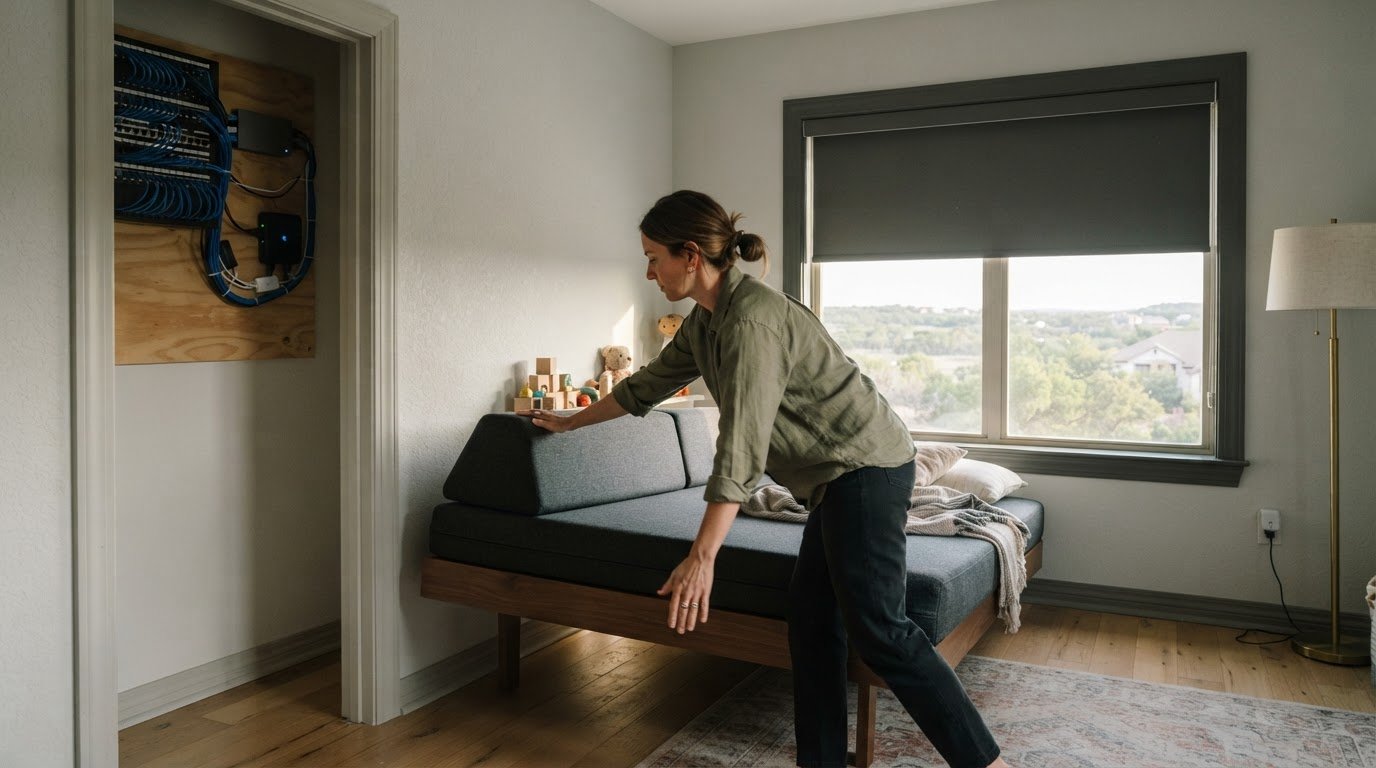
A flexible room can serve different purposes as a household’s routines change. A spare bedroom might become a study, then return to guest use. Plan lighting, controls, and network access around those transitions, rather than assigning every device to one permanent activity. Thoughtful infrastructure makes later adjustments less disruptive.
Start by identifying the room’s likely uses. For a study that sometimes hosts overnight guests, consider separate lighting scenes for focused work and evening rest. Keep the controls intuitive so someone can change the room’s settings without rebuilding its automation. A custom scene should describe an outcome, such as “work” or “guest,” rather than require several device-by-device adjustments.
Place sensors according to the room’s actual layout and purpose. In a shared family room, a sensor near the main entrance may respond differently from one aimed at a reading area. Consider furniture, doorways, and activity zones before deciding what a sensor should trigger. A useful automation could adjust lighting in a specific zone while leaving the rest of the room undisturbed.
- Shared office: Use task lighting at a desk and a separate scene for video calls.
- Guest room: Keep a straightforward manual control alongside scheduled settings.
- Family room: Divide lighting by activity, such as reading, conversation, or viewing.
Room controls should support different users, not just one person’s preferred app. A wall control can give guests a direct option, while an app can offer household members more detailed adjustments. Keep names consistent across the system. For example, “reading” should refer to the same lighting behavior wherever that scene appears.
Flexible use also depends on the physical infrastructure behind the controls. Structured wiring, ample conduits, and modular panels can make future changes easier to accommodate. CEDIA senior director David Pedigo advises running conduit to selected areas so they can support technology introduced three to five years later. That approach is especially useful in rooms likely to change function.
Keep automation adaptable by separating room scenes from household-wide routines. A “work” scene might apply only to the study, while a “leaving home” routine affects selected systems throughout the house. This structure helps prevent a change in one room from unexpectedly altering another. It also makes adjustments easier when work patterns or family routines shift.
Before adding a device, consider whether it supports the room’s current and likely uses. A sensor, switch, or connected light should solve a defined problem, such as making a hallway easier to use at night. Revisit those choices when the room changes. The goal is a home that evolves through deliberate adjustments, rather than a collection of automations built around yesterday’s layout.
Matter device categories with limited support
Matter support for cameras, robot vacuums, thermostats, and advanced appliances remains limited and developing. A device may work within its own platform while offering fewer shared functions through Matter. For example, a thermostat’s basic controls and specialized settings may not have the same availability across platforms. Treat compatibility as a feature-by-feature question, not a simple yes-or-no label.
Start by identifying the function you need from each device. For a camera, that could mean viewing a feed or using a particular camera feature. For a robot vacuum, it might mean starting a cleaning routine. For a thermostat, it could be setting a target temperature. Then check whether that function is available on the platform you intend to use. This keeps the decision focused on daily use.
Advanced appliances call for the same distinction. A connected appliance might offer basic control in one system, while specialized settings remain tied to its own interface. Before planning an automation, define what it must do and which device should trigger it. For example, decide whether a room routine needs to adjust a thermostat or whether a simpler lighting change meets the household’s needs.
- Cameras: Identify the camera function that matters, then assess how it fits the chosen platform.
- Robot vacuums: Separate routine start and stop needs from other device-specific functions.
- Thermostats: Define the climate control behavior required before connecting it to other routines.
- Advanced appliances: Distinguish shared controls from specialized settings in the appliance’s own system.
Keep working devices in place when they still serve their purpose. Moving to Matter doesn’t require replacing equipment just because support for a category is still developing. Instead, map which devices already integrate well, which functions depend on separate platforms, and where a future upgrade would make a meaningful difference. This preserves useful investments while leaving room to adapt as support develops.
Wiring and network planning also affect how easily a system can evolve. A well-organized installation helps separate connectivity needs from the functions a household expects. Keep device names and automation roles clear, especially when platforms expose different controls. For instance, label a thermostat by room and purpose, rather than relying on a generic device name. Clear organization makes adjustments easier when routines or equipment change.
For a connected home that also needs coordinated entertainment, explore whole-property audio as part of the broader systems plan. Keep that experience distinct from Matter’s developing support for cameras, vacuums, thermostats, and appliances. The right design aligns each system with its actual role, then integrates where shared control provides a useful benefit.
Matter support means that specific device functions can be used through the platform you plan to use; it doesn’t guarantee every feature will be available.
J3 Automated Systems: Cinema-grade home theater
J3 Automated Systems designs cinema-grade home theater for households seeking a coordinated entertainment experience. A dedicated theater can bring audio, visual elements, and room lighting into a considered design, rather than treating each component as a separate addition.
Turn to J3 when you’re planning a new theater or integrating entertainment with other parts of your home. Whole-property audio and automated lighting and shades can complement the theater while supporting a consistent experience across rooms. The right plan starts with how you want each space to function, then aligns the systems around those priorities.
For a home where comfort and control extend beyond entertainment, J3 also offers commercial building automation for HVAC and building management systems. Contact J3 Automated Systems to discuss how a cinema-grade home theater could fit your home.
Shape a home that can evolve
A plan to future-proof my smart home should start with how each space needs to serve you, then connect technology around those priorities. The goal isn’t to predict every future device. It’s to make thoughtful decisions now so new routines and changing rooms don’t require starting over.
J3 Automated Systems can bring that systems-focused approach to entertainment and the wider home, with cinema-grade home theater, whole-property audio, and automated lighting and shades. These offerings can help align how a home sounds, looks, and functions, while keeping the design grounded in your household’s needs.
Whether you’re planning a new project or refining an existing environment, a conversation can help clarify which spaces and systems matter most. Contact J3 Automated Systems today to discuss the right next step for your home.
Frequently Asked Questions
Are Matter devices always better than Zigbee or Z-Wave?
No. Matter can simplify cross-platform compatibility, but the better choice depends on the device and the functions you need. For example, if your current Zigbee or Z-Wave setup reliably controls an established device category, replacing it solely for Matter may add little value. Compare specific features, controller support, and integration needs before choosing. A mixed system can make sense when each device works well for its intended role.
Can I keep using my current setup while adding Matter?
Yes. You can keep working devices and add Matter equipment gradually instead of replacing an entire system at once. For example, start with a Matter light or plug that solves a current need, then integrate it through a controller that supports it. Keep existing routines intact while you assess how the new device behaves. This measured approach limits disruption and lets you make later changes based on practical experience.
Does Matter make my home more secure?
Matter includes modern encryption and secure onboarding by design, but a standard alone can’t secure every account, router, or connected device. Use unique passwords for device and platform accounts, enable available multifactor authentication, and install software updates. Review which household members can control sensitive devices, such as locks or cameras. These practices complement protocol-level protections and help reduce avoidable exposure across the wider home network.
Is Thread required to use Matter?
No. Thread isn’t required because many Matter devices use Wi-Fi. Thread is one connectivity option, so choose based on the device and network design rather than assuming every Matter product needs it. For instance, a Matter Wi-Fi device can join through the home network, while a Thread device needs Thread network connectivity. Check the device’s connection method and the controller’s support before planning an automation.
Should I choose local-control or cloud-dependent smart home devices, and what are the tradeoffs?
Choose local control for functions that should work within the home without internet access, such as a basic lighting routine. Cloud-dependent features may rely on an internet connection or a vendor’s service. They can enable remote functions but also create an outside dependency. Consider each device separately: decide whether remote access matters, what should continue during an outage, and whether the automation can run locally.
How can I protect smart home devices from hacking and secure my home network?
Use unique account passwords, enable multifactor authentication where available, and keep device and router software updated. Change default administrator credentials, remove accounts no longer needed, and separate guest access from household device controls where your network supports it. For households managing work-from-home operations or sensitive data on the same network, managed IT and cybersecurity providers like M.I.S. Support, Inc. offer proactive monitoring and robust network security protocols. For homes in San Antonio, New Braunfels, Seguin, Bandera, Boerne, Austin, or San Marcos, resilient networking can form part of a carefully planned connected-home system.
How can I plan smart home wiring, Ethernet, power, and device placement during a renovation or new build?
Map likely device locations before walls close, including network equipment, televisions, work areas, and ceiling-mounted access points. Plan power and data connections near fixed equipment, and use conduit in selected areas to keep future cable routes adaptable. Consider Ethernet for stationary devices that benefit from a wired connection, while planning wireless coverage for mobile or flexible devices. Coordinate these decisions with room layouts and intended uses.
Which smart home hubs support Matter, Thread, Zigbee, and Z-Wave?
Apple, Google, Amazon, and Samsung platforms and individual hubs vary in their support for Matter, Thread, Zigbee, and Z-Wave. Choose a hub that explicitly supports the protocols your devices use.