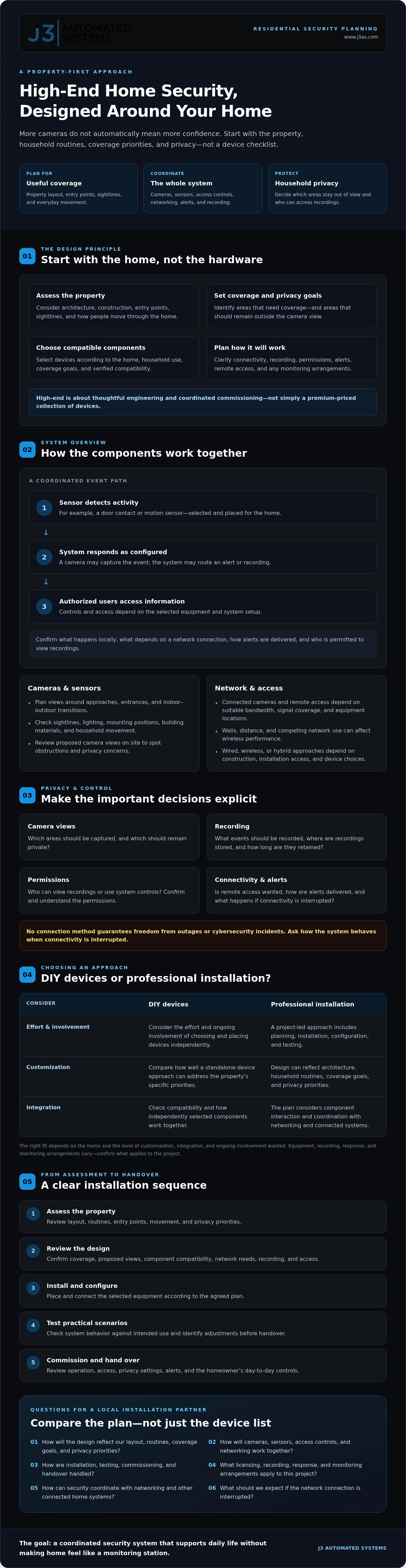
High-End Home Security System Installation: An Engineering-Led Guide
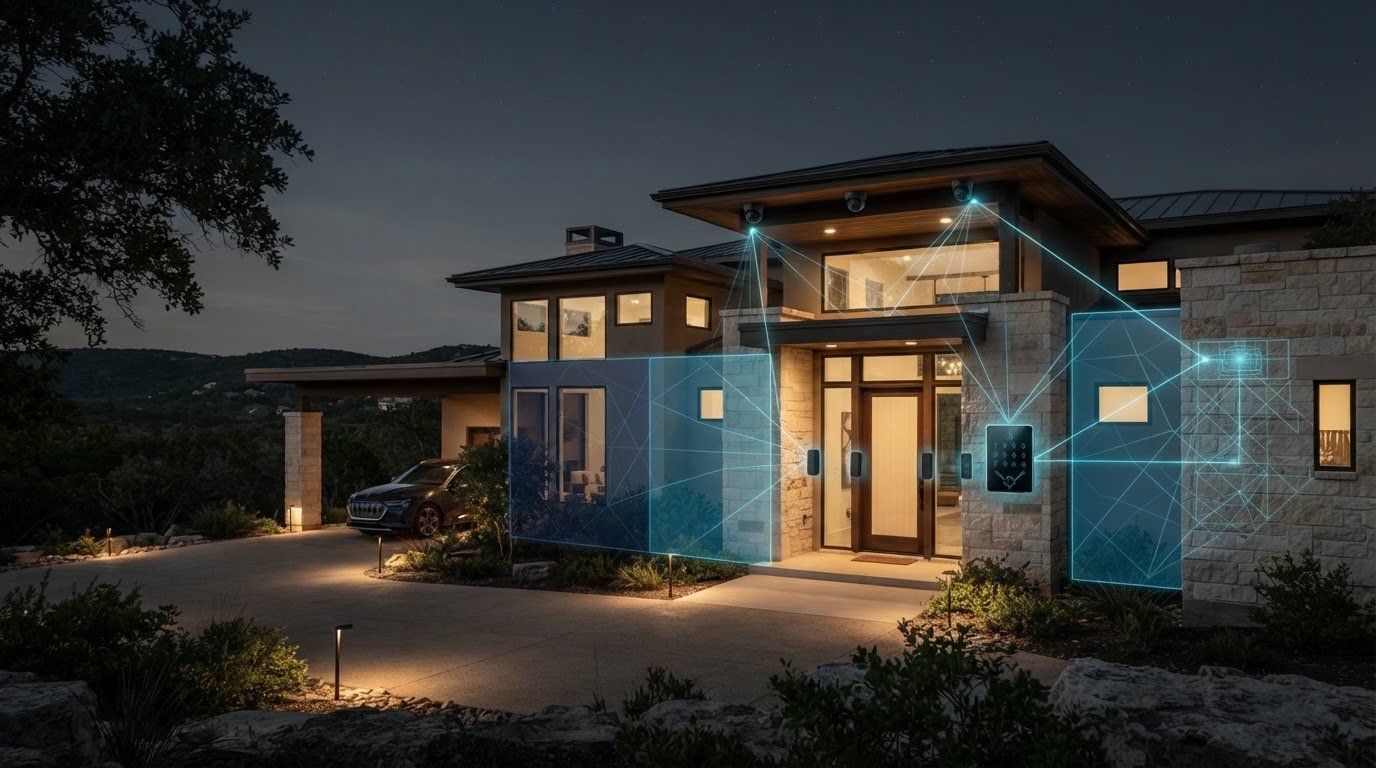
Adding more cameras can create blind spots, privacy concerns, and disconnected alerts instead of greater confidence. A high end home security system installation starts with the property, not a product list. The design should reflect how your household moves, where coverage matters, and which areas should remain private.
Cameras, sensors, access controls, and connected technology need to work together reliably. Choosing devices before addressing placement, network needs, recording preferences, and integration can leave important decisions to chance. A well-planned system should support daily life without making your home feel like a monitoring station.
This guide explains how to assess your property, understand the roles of key components, and weigh privacy and integration choices before comparing DIY products with professional installation. You’ll also find questions to ask a local partner about design, installation, commissioning, licensing, and monitoring arrangements, so you can compare options with clarity.
Key Takeaways
- Plan a high end home security system installation around your property’s layout, routines, entry points, and privacy priorities, not just a device checklist.
- Understand how cameras, sensors, access controls, and networking can work together, and clarify alerts, recording, and remote access.
- Compare DIY and professional approaches by considering the effort, customization, integration, and ongoing involvement each requires.
- Use a clear planning sequence to move from assessing your home to reviewing the design, installation, system testing, and handover.
- Evaluate a local partner’s design and commissioning approach, and ask how security can coordinate with networking and other connected home systems.
What Does High-End Home Security System Installation Actually Include?
A high-end security system is more than a collection of cameras and sensors. Professional installation involves assessing the property, defining coverage goals, selecting compatible components, planning placement, installing and configuring the equipment, then testing how the system behaves. The scope should reflect the home and the owner’s priorities, not a standard device bundle.
A device can work on its own and still fail to serve the wider plan. A camera may capture one entrance while leaving another approach unseen; an alert may arrive but not suit household routines. A property-specific design considers architecture, construction, entry points, movement through the home, and areas that should remain private. For an overview of broader home security concepts, see this guide to the home security system.
Which parts of a home security system may need professional planning?
Depending on the home, a design may include cameras, door contacts, motion sensors, video doorbells, or access control. For managing entry, deliveries, and guest protocols, solutions like mygatepass.com demonstrate how digital visitor and security apps can complement physical hardware. These are options, not a checklist every residence needs. Select and place components according to coverage goals, building materials, household use, and verified compatibility.
For example, a sensor’s usefulness depends on where people and pets regularly move. A camera’s view should suit the area it needs to cover while respecting household privacy. Planning should also establish how devices connect, where recordings are stored, who can access them, and what happens when an alert is generated. Equipment, recording, response, and monitoring arrangements vary, so confirm what applies to the specific project rather than assuming they come as one package.
What makes a residential security installation high-end?
High-end means carefully engineered coverage, discreetly integrated into the home and commissioned as a coordinated system. It does not simply mean a premium-priced collection of devices. Thoughtful placement accounts for sightlines and architecture, as well as how residents, visitors, and household staff use the property. Controls should be clear, and the system should be tested against its intended use.
A coordinated installation differs from buying standalone devices and placing them independently. A project-led approach considers how components interact, checks configuration, and tests practical scenarios before handover. The aim is for technology to fit the home, rather than asking the household to adapt to it.
For a high end home security system installation, commissioning is a meaningful final step. It gives the homeowner a chance to understand how the system operates, review access and privacy settings, and identify adjustments needed for everyday use.
How Cameras, Sensors, Access, and Networking Work Together
A coordinated system follows a chain: a sensor detects activity, a camera may capture the event, and the system routes an alert or recording according to its configuration. Authorized users then access the information through designated controls. The sequence varies by equipment and setup, so confirm which actions happen locally, which depend on a network connection, and how alerts are delivered.
How should cameras and sensors cover a property?
Start with approaches to the home, entrances, and transitions between outdoor and indoor spaces. Define which areas need coverage and which should remain outside the camera view. Sightlines, lighting, mounting positions, building materials, and everyday movement all affect placement. A camera aimed at a doorway, for example, may need a different angle from one intended to observe a wider approach.
Review proposed views on site rather than relying only on a standard layout or floor plan. This can reveal obstructions and privacy concerns before installation. Decide who can view recordings, what events should be captured, how long recordings are retained, and whether remote access is wanted. Make sure the homeowner understands and confirms the system’s permissions and recording arrangements.
Why does network design matter to connected security?
Connected cameras and remote access depend on a network with suitable bandwidth, signal coverage, and equipment locations. Walls, distance, and competing network use can affect wireless performance. Wired connections may suit some locations, while wireless devices may work in others. A hybrid design can account for construction, installation access, and the selected devices. No connection method guarantees freedom from outages or cybersecurity incidents, so ask how the system behaves if connectivity is interrupted.
For a closer look at the network foundation, see High-Performance Residential Networking: Engineering the Invisible Backbone of Modern Estates. Network planning should support device communication and authorized remote access, while protecting credentials and limiting permissions to people who need them. If a project also includes fire alarm or signaling functions, confirm which requirements apply to that scope. The NFPA 72 standard addresses fire alarm and signaling systems, not every residential security component.
A high end home security system installation brings these decisions together before equipment is fixed in place. If you’re considering how security and networking could coordinate in your home, explore J3’s integrated systems approach as one point of reference.
DIY Devices or Professional Security Installation: Which Fits Your Home?
The choice is not simply between lower effort and higher quality. DIY can suit a limited coverage need if you’re comfortable managing setup. Professional design can be useful when the home’s layout, installation conditions, or connected systems make placement and coordination harder to manage independently. Choose based on the work involved, not the label attached to the equipment.
| Consideration | DIY setup | Professional installation |
|---|---|---|
| Installation effort | You handle placement, setup, and configuration. | A project team plans and carries out agreed installation work. |
| Customization | Typically shaped by the devices and options you select. | Can be designed around the property, coverage priorities, and household use. |
| Integration | You confirm whether devices and services work together. | Compatibility and system coordination can be reviewed as part of the design. |
| Maintenance | You manage device settings, updates, and provider arrangements. | Clarify what tuning, documentation, and ongoing responsibilities are included. |
| Homeowner involvement | More direct responsibility for setup and day-to-day management. | You make design and privacy decisions, with installation and commissioning handled as agreed. |
When can a DIY security setup be sufficient?
A self-installed setup may suit a straightforward need, such as monitoring a limited number of clearly defined areas. Before choosing it, check whether you can identify useful camera views, confirm reliable connectivity at each device location, configure alerts and access, and manage the system over time. Review each provider’s device capabilities, subscription requirements, recording options, and service terms, since features and ongoing obligations differ.
When does a professionally designed installation make more sense?
Design support may help with a larger or more complex layout, discreet equipment placement, renovation work, or a project involving several connected systems. Its value comes from documented decisions, coordinated configuration, and commissioning that checks the agreed system behavior. Professional installation adds value when the scope and coordination justify it, but it is not automatically the better choice for every home.
J3’s work includes design, hardware installation, tuning, and commissioning for integrated systems. For a comparison with coordinated design in another setting, see Commercial Security System Design in Texas: Engineering Intelligent Protection for Modern Facilities. A residential plan should still reflect the home and homeowner’s requirements, with equipment compatibility and installation scope confirmed for the project.
For a high end home security system installation, compare proposals by asking what design work, integration, testing, handover, and homeowner responsibilities are included. This helps distinguish a tailored installation from a device purchase with setup added.
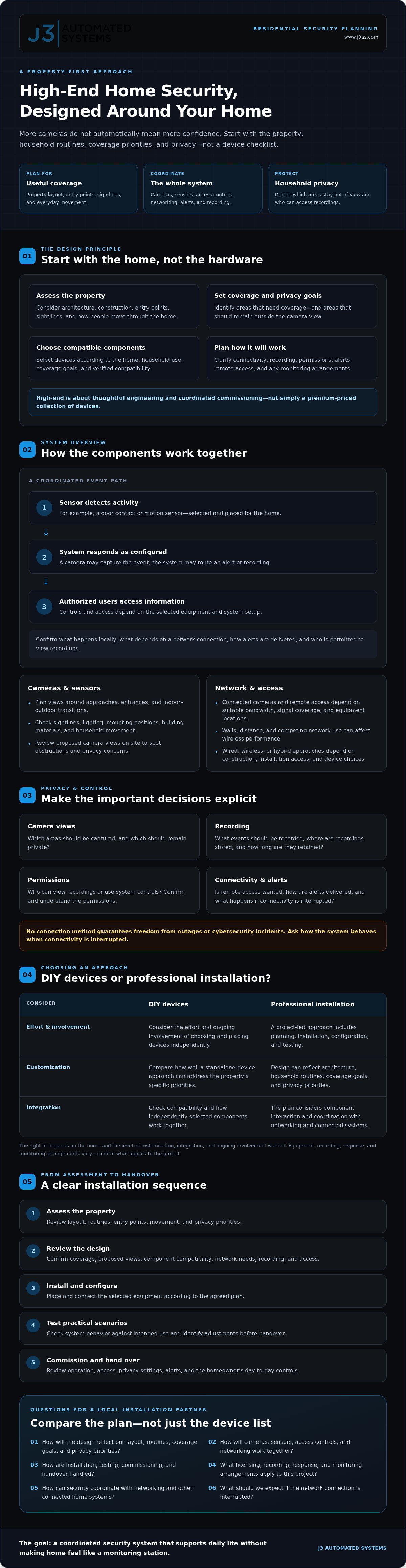
How to Plan a High-End Security Installation in the San Antonio Region
A well-managed project moves from clear priorities to a tested handover. For homeowners in San Antonio, New Braunfels, Seguin, Bandera, Boerne, Austin, and San Marcos, start by confirming what the property requires instead of assuming a standard package or schedule will fit.
What happens during a residential security site assessment?
A useful assessment connects the home’s physical conditions to the intended system. Review the layout, entrances, sightlines, existing network and other infrastructure, household routines, and privacy priorities. If construction or renovation is planned, identify coordination needs before selecting equipment or installation locations.
Use the visit to list questions that need project-specific answers: Are local permits or approvals required? Do HOA requirements apply? Which recording practices suit the household, and where will network coverage need to support connected devices? Confirm applicable standards and local requirements for the property’s address with the relevant authorities or qualified project professionals. Requirements can vary, so do not assume one city’s process applies throughout the region.
What should homeowners expect during installation and commissioning?
Once the scope is clear, the project can move through design, installation, configuration, testing, and user orientation. The order and extent of work depend on the agreed plan and site conditions. Ask how equipment locations will be reviewed, how connected systems will be configured, and what the household should expect during installation.
- Set priorities: Identify the areas and events you want the system to address, along with privacy boundaries and preferred user access.
- Review the property: Document entrances, sightlines, existing infrastructure, household routines, and construction considerations.
- Resolve open questions: Verify local approvals, HOA requirements, applicable standards, recording choices, and network readiness.
- Agree on the design and scope: Confirm proposed components, placement, integration, responsibilities, and project schedule.
- Install, test, and hand over: Check intended operation, review user access and settings, and document agreed system details.
Commissioning checks whether the system operates as intended during agreed tests. It cannot guarantee how every future condition will affect performance. Before work begins, ask who will document settings, lead the handover, and handle questions or support after installation. J3 Automated Systems provides design, hardware installation, tuning, and commissioning for integrated systems, with one accountable team coordinating the project scope.
For a high end home security system installation, clarify site conditions and responsibilities before setting expectations for timing or cost. Each project’s scope and schedule depend on the property and agreed work. To discuss a project for your home, contact J3 about residential system planning.
Why Choose an Integrated Security Installation Partner Like J3?
A tailored system requires more than selecting suitable devices. The property assessment needs to inform design, installation, configuration, tuning, and commissioning, with a clear explanation of what the homeowner should expect at handover. J3 Automated Systems handles integrated projects through design and implementation, with one accountable team coordinating the work rather than treating installation as a standalone hardware purchase.
Coordination can matter when security shares a home’s network or needs to work alongside other connected systems. The aim is not to integrate everything by default. Instead, identify where coordination serves the homeowner, verify compatibility, and define how each included element should behave. J3’s wider capabilities include networking, lighting, AV, and automation, which may suit a project depending on the property and agreed scope. Confirm security equipment, supported integrations, recording, and monitoring arrangements for each project. Do not assume J3 provides monitoring.
For a high end home security system installation, evaluate the partner’s process as well as the proposed equipment. Clear responsibilities, considered privacy choices, documented settings, and meaningful commissioning help distinguish an engineered installation from device setup alone.
What should you ask a security systems integrator before hiring?
Use a project conversation to establish who is responsible at each stage and what the proposal includes. Ask:
- Who leads the design, installation, configuration, testing, and commissioning?
- Which components and integrations are proposed, and how will compatibility be confirmed?
- How will access permissions, recording choices, and privacy settings be documented?
- What is excluded, and who handles ongoing support or system changes?
- Does the partner serve your specific Texas location, and which project requirements or local approvals need separate verification?
Specific answers make proposals easier to compare by scope and accountability, rather than by assuming similarly named services include the same work.
How can a tailored consultation clarify the next step?
Share the property’s layout, renovation plans, household priorities, existing technology, and any areas where privacy is especially important. A qualified partner can use that context in an initial project discussion to identify what needs further assessment. Recommendations should follow discovery and site conditions, not precede them. The next step may be refining coverage goals, reviewing network readiness, or clarifying installation and commissioning.
If you’re ready to explore your property’s requirements, discuss a tailored security installation with J3. A clear conversation can establish the project’s needs and scope before you decide how to proceed.
Move Forward With a Security Plan Built Around Your Home
A well-designed security system starts with your property and priorities, not a preset device list. Camera placement, sensors, access, network needs, and privacy choices should form one considered plan, with installation and commissioning checked against the agreed scope.
That’s the value of treating a high end home security system installation as an engineering project. J3 Automated Systems brings design, hardware installation, tuning, and commissioning together, with one accountable team to map, engineer, and implement a tailored technology roadmap. Confirm specific equipment, integrations, and project requirements for your home.
Share your property details, plans, and priorities to discuss a practical next step. Discuss a tailored security installation with J3 and explore a system designed around your home.
Frequently Asked Questions
What does high-end home security system installation include?
High-end home security system installation includes property-specific planning, component selection, installation, configuration, integration, testing, and handover, based on the agreed scope. A design may consider cameras, sensors, access controls, network needs, household routines, and privacy preferences. Not every home needs every component. Before work begins, confirm what equipment, recording options, response arrangements, monitoring, documentation, and commissioning are included, since these vary by project and provider.
Is professional home security installation better than DIY?
Neither approach is automatically better. The right fit depends on your coverage needs and willingness to manage setup. DIY may suit a limited installation if you can assess placement, connectivity, configuration, and ongoing device management. Professional design may help with a larger property, renovation coordination, discreet placement, or integration across systems. Compare the scope, responsibilities, compatibility, subscriptions, and support terms rather than assuming professional installation always adds value.
How much does a high-end home security system installation cost?
Cost depends on the property, equipment, installation conditions, integration needs, and agreed project scope, so there is no reliable price that applies to every home. Request a project-specific proposal that separates equipment, design, installation, configuration, commissioning, and any recurring service or storage charges. J3 Automated Systems provides project-based design and installation work. Ask for costs and inclusions after the requirements for your property have been reviewed.
Can a home security system integrate with existing smart home technology?
Integration may be possible, but it depends on the security equipment, existing technology, network, and verified compatibility. Share the makes and models of relevant systems and describe the actions you want coordinated, such as how an alert should appear or whether another connected system should respond. Ask the installer to identify supported integrations and exclusions before work begins. J3’s broader capabilities include networking, lighting, AV, and automation, subject to project-specific confirmation.
How long does professional home security installation take?
Installation time varies with the property, equipment, wiring or network conditions, construction coordination, and agreed scope. A straightforward project may differ considerably from a larger installation involving multiple areas or connected systems. Ask the project partner to outline the expected stages, dependencies, and schedule after reviewing the site and design. Avoid relying on a generic time estimate before those conditions are understood, and confirm what testing and handover include.
What happens if the internet goes down during a security system installation?
If the internet connection is interrupted, remote viewing and alerts that depend on that connection may be unavailable. Whether detection or recording continues locally depends on the selected equipment and its configuration, so ask the installer to explain how the proposed system behaves during an outage. Discuss network resilience, locally available functions, power-related contingencies, and how service is restored. Do not assume every device continues operating or recording without internet access.
Do I need permission to install security cameras at my Texas home?
Requirements may depend on your address, property arrangements, and camera placement, so verify them before installation rather than assuming one rule applies across Texas. Check with your city or other relevant local authority about applicable approvals, and review HOA requirements if they apply. Consider privacy when choosing camera views, especially near neighboring properties or shared areas. Homeowners in San Antonio, New Braunfels, Seguin, Bandera, Boerne, Austin, and San Marcos should confirm requirements for their specific property.